Crawlability: How to Make Sure Google Can Find Your Pages
What is crawlability?
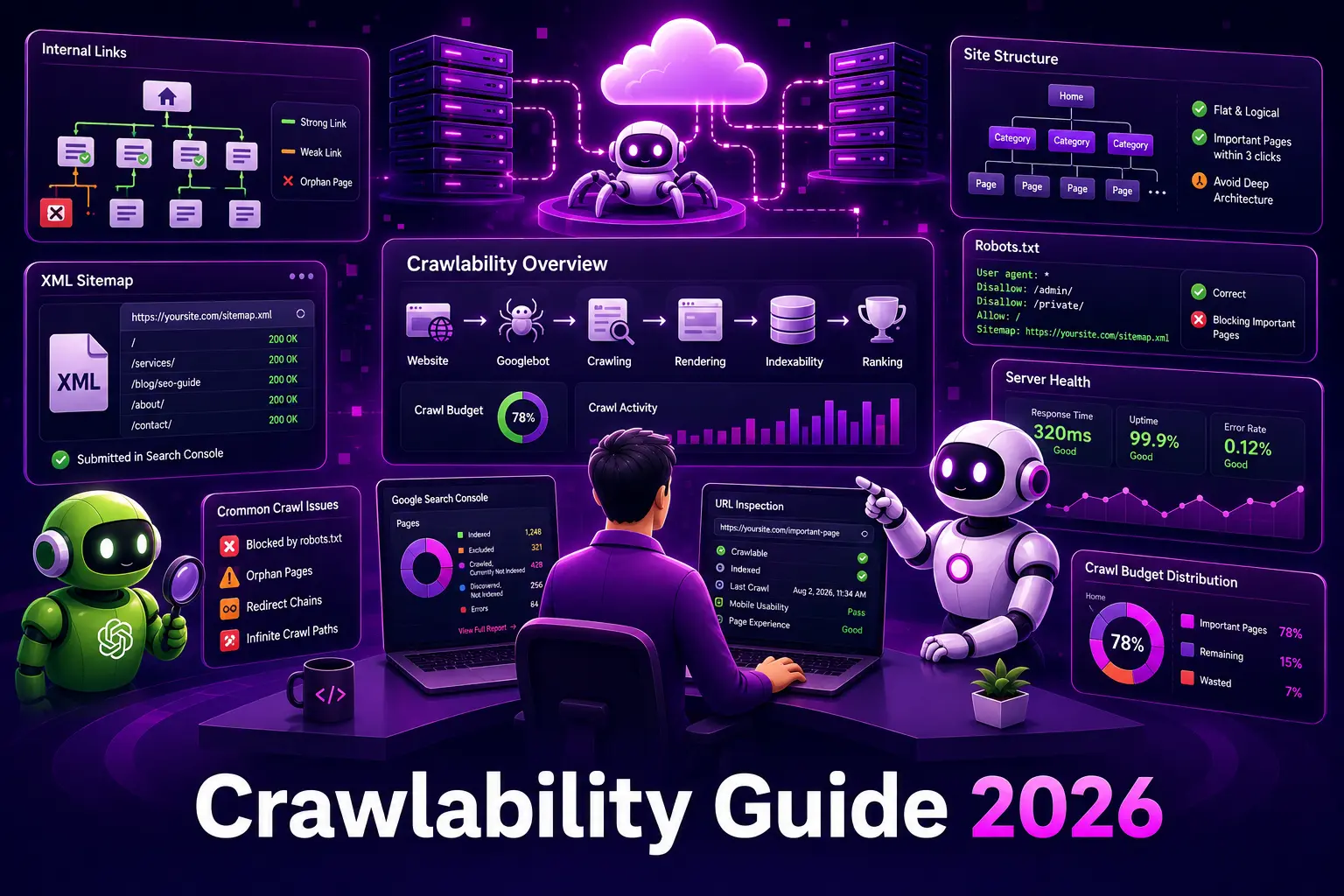
Crawlability is how easily a search engine’s bots can discover and reach the pages on your site by following links and directives. If a crawler cannot reach a page, that page never enters the index and cannot rank, no matter how good it is.
Crawlability is the first step in the pipeline that ends with a ranking page. It sits just ahead of indexability, and both are core parts of technical SEO. Google’s overview of its crawlers explains how Googlebot discovers and fetches pages.
Why crawlability matters
Search engines spend a limited amount of effort crawling any site. That effort, often called crawl budget, gets wasted when bots hit dead ends, endless parameter URLs, or pages blocked by mistake. Meanwhile, the pages you care about may go undiscovered.
For most small and mid-size sites, crawl budget is not the bottleneck. The real risk is simpler: important pages that are buried, orphaned, or accidentally blocked. Fixing those is often a fast win.
What affects crawlability
- Internal links. Crawlers find pages by following links. A page with no internal links pointing to it is an orphan, and it may never be found.
- Site structure. A flat, logical structure keeps important pages a few clicks from the home page. Deep, tangled navigation hides them.
- Robots.txt. The robots.txt file tells crawlers which paths they may request. A single wrong rule can block an entire section.
- XML sitemaps. An XML sitemap gives crawlers a direct list of your important URLs, which speeds discovery on large or new sites.
- Server health. Slow responses, timeouts, and errors cause crawlers to back off and cover fewer pages.
How to check crawlability
- Open Google Search Console and review the Pages report for excluded and error states.
- Use the URL Inspection tool on key pages to confirm they are crawlable and indexed.
- Crawl your own site with an SEO crawler to find orphan pages, broken links, and redirect chains.
- Check robots.txt for rules that block anything important.
- Confirm your XML sitemap lists only canonical, reachable URLs and is submitted in Search Console.
Common crawlability mistakes
- Blocking a folder in robots.txt that contains pages you want indexed.
- Leaving important pages with no internal links pointing to them.
- Long redirect chains that waste crawl budget and dilute signals.
- Letting faceted or filter URLs generate near-infinite crawl paths.
Key takeaways
- Crawlability decides whether search engines can find a page at all.
- Internal links, structure, robots.txt, and sitemaps are the main levers.
- For most sites, the priority is fixing orphaned or accidentally blocked pages, not crawl budget.
Frequently asked questions
Is crawlability the same as indexing?
No. Crawlability is whether a page can be found and fetched. Indexing is whether it is then stored and eligible to rank. A page must be crawlable before it can be indexed.
How do I know if a page is crawlable?
Use the URL Inspection tool in Google Search Console. It shows whether the page can be crawled, when it was last crawled, and any blocking issues.
Part of our Technical SEO guide. For help, see our Technical SEO service.